

Whatfinger News Content
    What's Hot

    U.S. Hit by Mysterious Diarrhea-Causing Parasite

    June 30, 2026
    Whatfinger News Headlines

    U.S. Hit by Mysterious Diarrhea-Causing Parasite

    June 30, 2026

    MKULTRA Hearing: Rep. Burchett’s CIA Experiments Question Stuns Room, Elicits Cheers #shorts

    June 30, 2026

    ‘No Choice’ – Speaker Johnson Drops SAVE Act Bombshell

    June 30, 2026
    Facebook Twitter Instagram
    Tuesday, June 30
    • Whatfinger®
    • Breaking
    • Videos
    • Fast Clips
    • Entertainment
    • Military
    • Sports
    • Humor
    • Money
    • Daily List
    • World
    • Daily Paper
    • Sci-Tech
    • Top 3
    • Chat GPT
    • Choice Clips
    • About
    • Retirement
    Whatfinger News ContentWhatfinger News Content
    CLICK HERE for all posts on this page
    Whatfinger News Content
    Home » How To Generate The BEST Motion Graphics With AI

    How To Generate The BEST Motion Graphics With AI

    June 29, 2026 A.I. Vids 2 Mins Read
    Share
    Facebook Twitter LinkedIn Pinterest Email

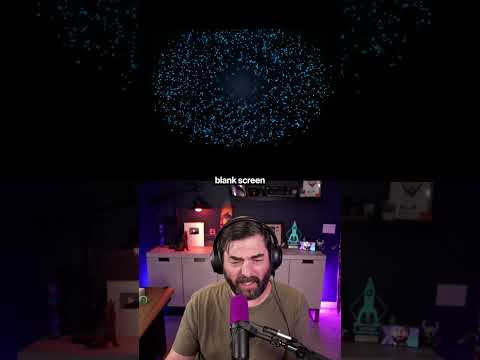
    How to generate motion graphics using AI:

    Step 1: Choose your AI assistant
    These frameworks act as plugins or "skills" that work directly inside AI coding assistants. In the video, I used Claude Code, but they also work with VS Code, GitHub Copilot, Codex, Cowork, and more.

    Step 2: Find the framework you want to use
    To make this work, you’ll need a programmable video framework like Remotion or Hyperframes. You can find ones like Remotion or Hyperframes (the ones I use in this video) by simply searching for them on GitHub or in a search engine.

    Step 3: Install it
    You don’t need to be a developer to set this up. I literally went into the Claude Code prompt box, pasted the GitHub URL for the framework, and typed: "Install this for me, please." That is actually how easy it is.

    Step 4: Write your prompt
    Just describe the exact animation you want. The AI writes the underlying code and automatically renders out a clean MP4 file that you can drop directly into your video edit.

    If you need professional looking graphics but don’t want to spend hours keyframing in After Effects, this workflow is going to save you an enormous amount of time.

    SAVE this reel so you can try out this workflow next time you need it!

    #motiongraphics #videoediting #AI #AIhack #contentcreator

    Keep Reading

    Anthropic Just Released Sonnet 5 – Heres Everything You Need to know

    China Debuts Driving Robot Toilet 🤨

    Don’t Fall For This AI Trap

    The Next AI Race Just Started – The World’s First Real Quantum Computer – Quantum Genesis

    Add A Comment

    Leave A Reply Cancel Reply

    More news daily than any other news site on Earth. All sources, all on one page! BAM! There can be ONLY one… CLICK BELOW (This is NOT part of our widget)
    Empower Your Online Presence with Our Web Development Solutions!

    Looking to start from scratch or revamp your news, blog, business, or e-commerce website? Look no further! Our expert team specializes in creating stunning, high-performance WordPress websites tailored to your unique needs.

    🚀 Get Started Today! contact us at nephilainc@gmail.com to get a quote!
    Or
    Skype:info.mighty

    Don’t just build a website—create an experience!

    All news – Whatfinger News Content

    Type above and press Enter to search. Press Esc to cancel.